


Piano Fire 2: Slide Challenge
4.5319.00 Reviews
App Specs
- Version
- 1.0.97
- Updated On
- License
- Free
- Downloads
- 50,000,000+
- Developer
- Adaric Music
- Categories
- Music
- Platform
- Android
Screenshots
 Analysis by AppCompare
I like rhythm games best when they give me something to do with the music, rather than asking me to watch passively and tap without much thought. Piano Fire 2: Slide Challenge takes that idea in a more active direction: its music-game play asks you to coordinate taps and slides with the rhythm. That makes it a natural choice for a short break, though its appeal depends on whether you enjoy repeating patterns until your timing feels right.
What to expect from the music-game format
As a free music game from Adaric Music, it has drawn a sizeable audience: it has over 50 million installs and a 4.6 average from around 78,000 ratings. Those figures tell me it has broad appeal, but they can’t predict whether its pace or song selection will suit your tastes. I’d treat it as an easy game to try, not as a guarantee that every track will become a favorite.
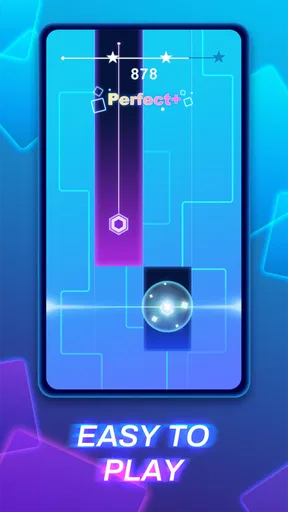
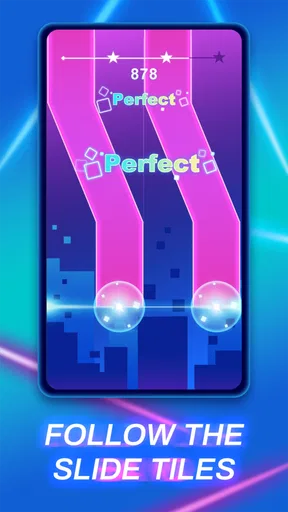
The basic idea is approachable: follow the notes by tapping or sliding in rhythm. Compared with a conventional piano-learning app, this is about reacting to a game’s cues, not learning to read music or practice a real instrument. Compared with a simple one-tap rhythm game, the sliding adds another kind of hand movement, which can make a familiar beat feel more involved. If you mainly want to learn piano, a lesson-focused app is a better fit; if you want a quick music challenge, this is closer to the mark.
A practical way to start is to play a short session with your phone held steadily and your attention on the note patterns, rather than trying to chase a perfect score immediately. On a commute or between tasks, that makes it easier to see whether the timing feels comfortable. If you find yourself missing notes, slow down your hand movements and watch how the patterns are arranged; rushing can make a sliding sequence harder to read than it needs to be.
Progress without turning play into a chore
Rhythm games often create a useful loop: a song feels manageable, a faster or more involved passage catches you out, and you return to it to improve. That can be satisfying here, especially if you enjoy building consistency through short attempts. It can also become repetitive if your idea of progress is unlocking lots of content quickly rather than getting better at the patterns themselves.
I’d use the game in small bursts instead of treating it as a long session by default. A few tries at a tricky sequence can be enjoyable; repeating the same section while tired may make the game feel more frustrating than challenging. This is also a good way to decide whether you like its style before spending anything. Piano Fire 2 is free to download, while in-app purchases range from $2.99 to $19.99 per item, so paid options are worth considering only if you already know you want them.
The age rating is Everyone 10+, which gives families a helpful starting point when deciding whether it suits a younger player. I’d still check the game together before handing over a device, particularly if you want to understand how purchases are presented and set appropriate purchase controls. The listed rating is not a substitute for a parent’s own judgment about a child’s screen time or spending.
Worth Reading Before You Choose

Flipboard Shows What News Apps Must Do Beyond the Feed

Switching to Android Auto Means Rethinking Your Driving Routine

Google Calendar Makes a Crowded Week Easier to Manage

Ludo King Makes the Most of the Minutes Between Plans

Baby Panda World Brings Quick Play to Modern Phones, but Its Game Library Feels Busy

ESPN’s Live Game View Makes Following Close Games Easier
Fairness, purchases, and what to keep in mind
For a rhythm game, fairness comes down to whether success feels tied to timing and practice rather than pressure to pay. The confirmed purchase range gives a clear idea of the cost of individual in-app items, but it doesn’t explain what each item does or whether purchases change progression. I wouldn’t assume that spending is necessary to enjoy the core game, or that it has no effect; I’d make a decision only after checking the purchase details shown in the app.
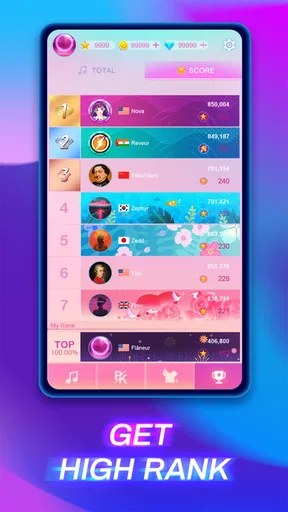
That distinction matters if you’re playing competitively or comparing results with someone else. A high score is most satisfying when it reflects better rhythm and control, and any purchase that affects access or progression could change how players interpret that result. I’d focus on whether the game itself gives you enough challenge at no cost before considering optional items. If you’re choosing it for a child, purchase controls are a sensible precaution regardless of how tempting or unobtrusive the offers seem.
Who will enjoy it, and when I’d choose something else
I’d recommend giving it a try if you like pop-oriented rhythm challenges, short sessions, and the tactile difference between tapping and sliding. It may also suit someone who wants a light game to pick up while waiting for an appointment, provided they can play with enough attention to follow the beat. Its 50M-plus installs and strong average rating suggest plenty of people are willing to give it a go, but neither popularity nor a rating can tell you whether its particular songs and difficulty feel right for you.
I’d skip it if you want structured piano lessons, open-ended music creation, or a game that rewards strategy more than timing. It may also be a poor match if repeated attempts at a difficult passage feel like busywork, or if you prefer rhythm games built around a different control style. The game’s current version is 1.0.88, and it runs on Android 6.0 or later; those details help establish basic compatibility, but they don’t tell you how it will feel on every device.
A few useful decisions before you settle in
If you’re wondering whether you need musical experience, the format is designed around following visual and rhythmic cues, so I wouldn’t treat prior piano training as a requirement. If you’re wondering whether it works for a quick session, that is exactly the kind of use I’d test first: open it during a spare few minutes, try a manageable challenge, and see whether the controls feel comfortable on your screen. If you’re wondering whether you should pay, I’d hold off until you can identify an item you actually want and understand its role.
One small but useful habit is to separate a timing problem from a reading problem. When a run goes badly, notice whether you saw the sequence but reacted late, or whether the pattern itself was hard to follow. That tells you whether to focus on steadier movement or simply take another look at the cues. It’s a more useful way to practice than repeating a level on autopilot, and it makes short sessions feel less random.
For everyday use, I can picture playing a round while waiting for a friend at a café: it gives me a clear, self-contained activity, but I’d keep the volume low or use headphones so the music doesn’t intrude on the people nearby. It’s less suited to moments when I need to listen for an announcement or keep one hand free, since following a rhythm and sliding accurately calls for attention. That kind of context is easy to overlook when choosing a casual game, but it makes a real difference to whether I reach for it.
The Beat of the Game
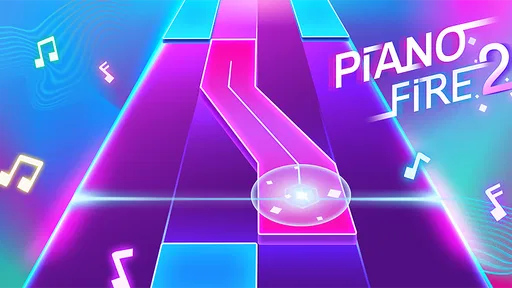
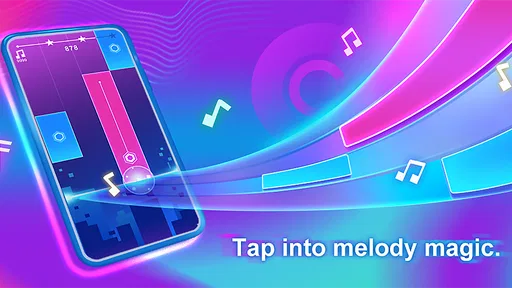
First off, Piano Fire 2: Slide Challenge is not your typical tap-to-play piano game. The moment you open the app, you're greeted with a colorful interface that screams excitement. The game’s main appeal lies in its ability to blend traditional piano gameplay with rhythm-based challenges. You’re not just tapping away aimlessly; you’re sliding your fingers across the screen in time with the beat. It’s like a dance-off for your fingers, and trust me, it’s more engaging than it sounds!
Gameplay and Features
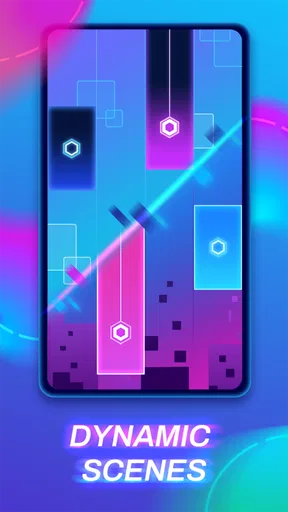
What sets this game apart is its variety of modes and levels. Whether you're a beginner or a seasoned player, there’s something for everyone. The game starts off fairly simple, but as you progress, it throws more complex rhythms your way. The sliding mechanism is intuitive, making the gameplay feel fluid and natural. Plus, the background changes with each level, adding a visual treat to your musical journey.
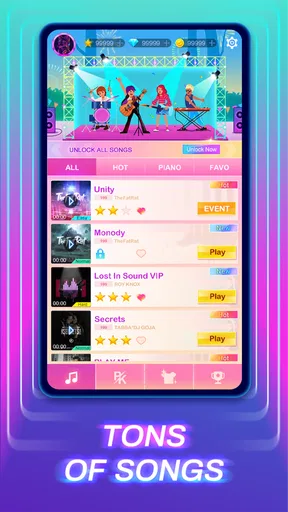
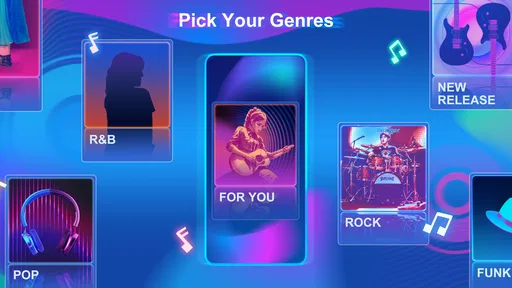
One feature I particularly enjoyed was the ability to customize the playlist. You can choose from a wide range of popular tracks, each offering a unique challenge. The game also updates its song library regularly, so there’s always something new to play. It’s a fantastic way to keep the experience fresh and exciting.
Graphics and Sound
The graphics in Piano Fire 2: Slide Challenge are vibrant and engaging. Each level is designed with a unique aesthetic that complements the music. The animations are smooth, and there’s a certain satisfaction in watching the notes explode in color when you hit them just right. The sound quality is top-notch too, ensuring that every note and beat is crisp and clear—essential for a rhythm-based game.
Challenges and Rewards
Like any good game, Piano Fire 2 keeps you coming back with its rewards system. Completing levels earns you coins, which you can use to unlock new songs and skins for your interface. The game also offers daily challenges, providing extra incentives to log in regularly. These challenges range from perfecting a song to achieving a streak of flawless notes, ensuring that there’s always a new goal to strive for.
Why You Should Try It
So, why should you download Piano Fire 2: Slide Challenge? Well, if you enjoy music and are looking for a game that’s both relaxing and challenging, this is a perfect fit. It’s a great way to unwind while also keeping your brain engaged. Plus, it’s suitable for all ages, making it a fun option for family game night.
Overall, Piano Fire 2 offers a unique twist on the piano game genre. It combines the satisfaction of playing music with the thrill of a rhythm challenge. Whether you’re a music lover or just someone looking for a fun way to pass the time, give it a try. You might just find yourself addicted to the beat.
My trust verdict
There’s enough here to make trying the game a low-commitment choice: it is free to install, has broad reach, and its tap-and-slide rhythm format is easy to understand. I’d still separate that first impression from the details that matter over time. Popularity does not tell me whether every song will suit my taste, and a familiar-looking progression loop is not a promise that every player will find the rewards motivating.
The game was released on June 13, 2024, and its current version is 1.0.88. I find those details useful when checking that I’m looking at the right title, but they don’t answer every practical question about how a particular device will handle it or what an individual purchase changes. The clearest approach is to try the free play first, check any purchase description in context, and decide based on the actual challenge rather than assumptions about paid advantages.
My recommendation is therefore specific: try it if you want a visually lively, music-led game that asks for timing and finger control, and keep sessions short enough that repetition stays enjoyable. Choose a piano tutor if learning an instrument is the goal, or another rhythm game if you prefer a different control scheme or want a competitive format whose rules and scoring you can assess more fully. For me, the appeal is the moment-to-moment coordination; whether the longer-term loop earns a place on your home screen depends on how much you enjoy returning to a song to get the rhythm right.
Pros
- Engaging gameplay with dynamic music tracks.
- Visually appealing graphics and animations.
- Smooth touch controls enhance user experience.
- Frequent updates with new songs and features.
- Offline mode available for uninterrupted play.
Cons
- Contains ads that can disrupt gameplay.
- Limited song selection without in-app purchases.
- Battery consumption is relatively high.
- Requires precise timing
- may frustrate beginners.
- Some users report occasional lag issues.
FAQs for Piano Fire 2: Slide Challenge
What is Piano Fire 2: Slide Challenge?
Piano Fire 2: Slide Challenge is a rhythm-based mobile game that combines music with engaging gameplay. Players must tap and slide their fingers across the screen in time with the beat to score points. The game features a variety of songs and levels, providing a fun and challenging experience for music lovers.
Is Piano Fire 2: Slide Challenge free to play?
Yes, Piano Fire 2: Slide Challenge is free to download and play. However, it offers in-app purchases that can enhance the gaming experience. Players can purchase additional songs, remove ads, or buy game currency to unlock premium features or levels.
What are the system requirements for Piano Fire 2: Slide Challenge?
Piano Fire 2: Slide Challenge requires a compatible Android or iOS device with sufficient storage space. For Android users, a minimum OS version of Android 4.4 is recommended. iOS users should have iOS 9.0 or later. Ensure your device has enough RAM and processing capability for smooth gameplay.
Can Piano Fire 2: Slide Challenge be played offline?
Piano Fire 2: Slide Challenge primarily requires an internet connection for downloading new songs and accessing certain features. However, some aspects of the game, like playing previously downloaded songs, can be enjoyed offline. For the best experience, a stable internet connection is recommended.
Does Piano Fire 2: Slide Challenge offer multiplayer options?
Currently, Piano Fire 2: Slide Challenge focuses on single-player gameplay. It does not offer real-time multiplayer options. However, players can compete with friends by sharing high scores and challenging them to beat their records, adding a social element to the gaming experience.


